

Should You Let AI Automate Everything?
AI tools are astonishingly capable. They can summarize documents, draft emails, classify data, and even hold basic conversations. It’s natural to ask: “If AI is this powerful, shouldn’t we just use it to automate everything?”
In practice, the answer is no.
Relying on AI for every automation is a fast way to create fragile systems, inconsistent results, and frustrated teams.
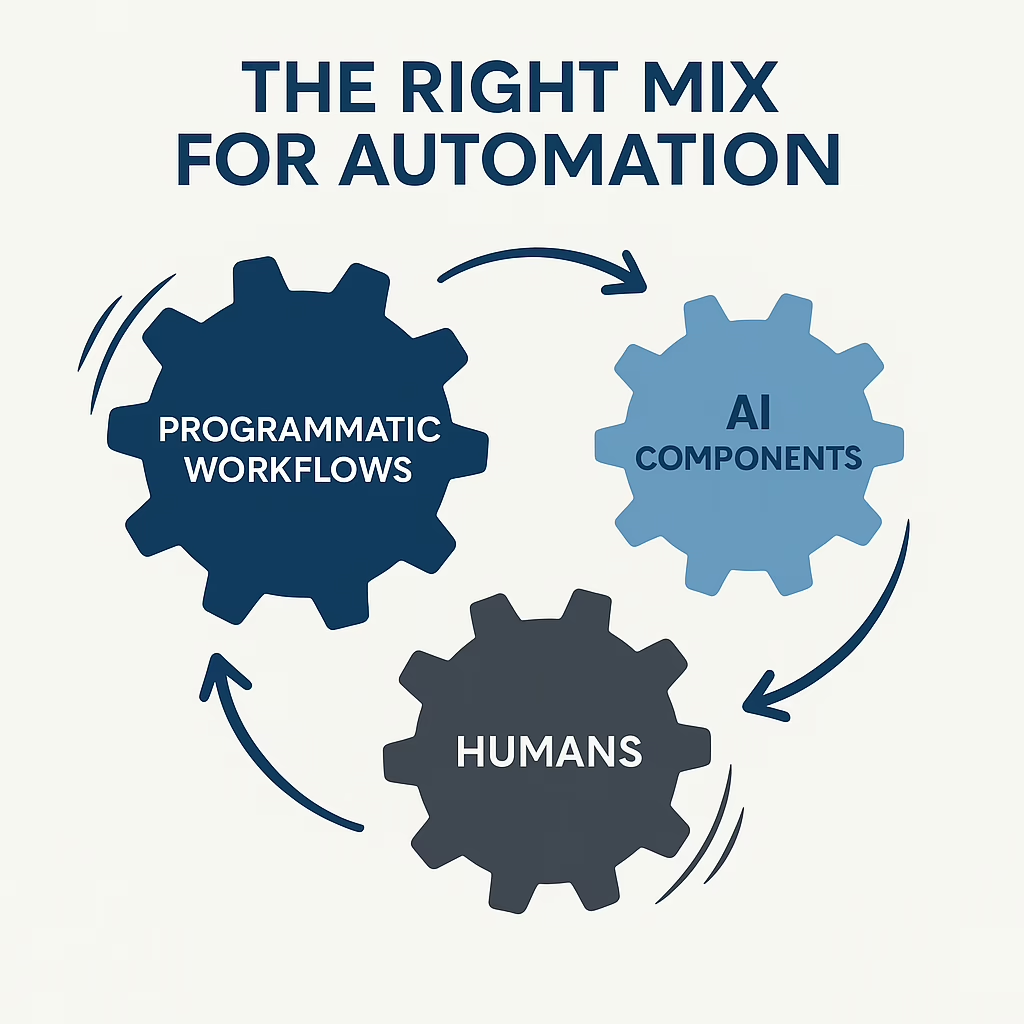
The most reliable, efficient automation strategies use a blend of:
programmatic workflows, AI-driven steps, and human judgment.
AI Is Powerful – But It’s Not Your Whole Automation Strategy
AI is probabilistic, not deterministic. It predicts what is likely to be correct; it does not follow strict rules the way traditional software does. That means it’s fantastic for pattern recognition and language tasks, but risky when you need exact rules, precise calculations, or guaranteed outcomes.
When teams try to “let AI handle it all,” they often run into issues such as:
- Integration friction: Difficulty connecting AI tools securely to CRMs, ERPs, accounting systems, and other data sources.
- Workflow gaps: Low-code tools (e.g., Zapier-style systems) that don’t map cleanly to how the business actually operates.
- Approximate answers where exactness is required: AI outputs that are “close enough” but still wrong in ways that matter (totals, dates, names, etc.).
- Inconsistent behavior over time: The same prompt producing different results, making it hard to trust or troubleshoot.
- Limited auditability: Difficulty answering, “Why did it do that?” when something goes wrong.
The key is recognizing where AI adds unique value and where traditional programmatic automation or humans should remain in control.
The Right Mix: Programmatic Workflows, AI, and Humans
We encourage clients to think of automation as a layered system:
- Programmatic workflows: The backbone. Deterministic, rules-based logic that is predictable and testable.
- AI components: Specialized “assistants” that handle judgment calls, language, and unstructured data.
- Humans: Final authority on exceptions, high-risk decisions, and relationship-driven interactions.
When these three layers are designed together, you get systems that are both powerful and trustworthy.
When to Use Programmatic Workflows
Programmatic (rules-based) workflows are ideal when you need repeatable, predictable behavior. Use them when:
- Steps are well defined: The process follows a clear, repeatable sequence (e.g., “if X, then do Y”).
- No judgment calls are needed: The right answer can be written as a rule, not a “gut feeling.”
- Systems expose APIs or import/export options: CRMs, accounting systems, databases, and other tools can be reliably integrated.
- Tasks are high importance or high risk: Compliance processes, financial postings, critical notifications, and system-of-record changes.
- You need audit trails: Being able to see exactly what happened, when, and why.
Example: Syncing customer data between your CRM and billing system, validating invoice totals, or enforcing approval rules before an order is released. These are best handled with traditional automation, not AI prompts.
When to Use AI Workflows
AI shines where structure breaks down and judgment is needed at scale. Use AI when:
- Programmatic logic hits a wall: The task cannot be expressed as simple rules without becoming overly complex.
- Minor judgment calls are acceptable on low to medium importance tasks: Classifying support requests, suggesting responses, summarizing conversations.
- Interfacing with unknown people or systems: Parsing inbound emails from prospects, reading attachments, or interacting with other AI systems.
- Processing large volumes of unstructured data: Emails, PDFs, free-form notes, and documents that would be expensive to handle manually.
Example: AI can read a long client email, classify its urgency and topic, draft a suggested response, and route it into the correct queue.
Programmatic logic then takes over to enforce SLAs, track status, and ensure follow-through.
When to Keep Humans in the Loop
Even with strong AI and automation, humans remain critical to a robust system. Use human steps when:
- Both AI and programmatic workflows have demonstrated failure: Repeated edge cases, complex exceptions, or high-stakes decisions.
- Specific approvals are required: Signing off on discounts, contract terms, compliance-sensitive steps, or unusual financial entries.
- Client experience depends on human touch: Difficult conversations, strategic planning, and relationship-driven sales or service.
- Prototyping new workflows: Let humans run the process manually first so you can validate the steps before codifying them with automation and AI.
The goal isn’t to remove humans entirely, but to reserve their time for the highest-value decisions and interactions.
Common Pitfalls When Teams Go “AI-First”
When organizations try to automate “with AI everywhere,” we often see patterns like:
- Over-automation of unclear processes: Automating a broken workflow just lets you make mistakes faster.
- No clear boundaries: AI is allowed to change critical data or trigger actions without guardrails.
- Lack of monitoring and review: Nobody is regularly checking whether the AI is still performing as intended.
- Underinvestment in basic plumbing: APIs, structured data, and well-designed workflows are ignored because “the AI will figure it out.”
The result is often more chaos, not less. The better approach is to:
use AI thoughtfully inside a well-designed automation architecture.
How Open InfoTech Solutions Helps
At Open InfoTech Solutions, we help companies design automation strategies that balance programmatic workflows, AI, and human oversight so you get:
- Reliability: Core processes that run the same way every time, with clear logs and audit trails.
- Intelligence where it counts: AI placed at specific points in the process to handle language, classification, and unstructured data.
- Human control for critical decisions: Well-defined checkpoints where people review and approve exceptions or high-impact actions.
- Better visibility: Dashboards and reporting to see what’s automated, what AI is doing, and where humans are required.
We don’t just plug in tools. We work with you to:
- Map your existing workflows and identify automation opportunities.
- Decide which steps should be rules-based, AI-driven, or human-driven.
- Implement and integrate the right tools (including AI) into your systems securely.
- Set up monitoring, exception handling, and continuous improvement routines.
Ready to Build Smarter Automations?
If you’ve tried to “let AI automate everything” and ended up with unreliable workflows or confusing results, you’re not alone. A better path is available.
Open InfoTech Solutions can help you design automations that are stable, scalable, and intelligent – without handing the keys to AI alone. If you’d like to review a specific workflow or explore where AI fits into your automation roadmap, please reach out to our team and let’s start the conversation. Contact Us
